
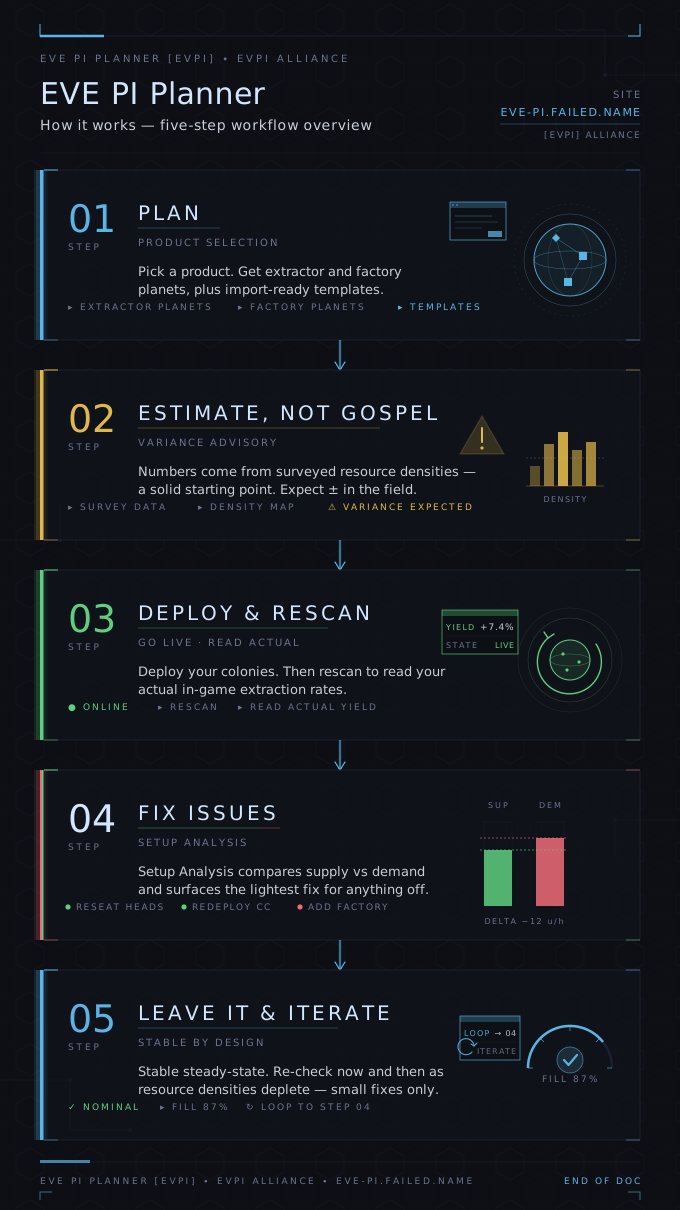
This tool helps you plan and run Planetary Industry across all your characters — for the most profit with the least hauling and fiddling. Here's what each part does, and one important thing to know about the numbers.
1. Plan a setup
In Planetary Planning you pick a product (or fuel blocks). The wizard works out how many extractor and factory planets you need, spreads them across your characters to keep hauling short, and hands you ready-to-import templates.
2. The plan is a guesstimate — not the truth
The wizard plans before anything is deployed, so it has no real extraction data — it estimates each planet's yield from surveyed resource densities. Those are only a rough guide, so your real colonies will produce a bit more or less than predicted. Treat the plan as a solid starting point, not gospel.
3. Setup Analysis corrects for reality
Once your colonies are live, log in and Rescan (Characters tab). Now the tool reads your actual in-game extraction — exact numbers, not estimates. The Setup Analysis tab compares what you really produce against what your factories need, material by material, and shows the lightest fix for anything off:
- Reseat heads — recover yield a depleting colony has lost (its hotspots thin out over time).
- Redeploy a command center — shift a surplus colony onto a material you're short on.
- Add factories — only when there's comfortable spare, so you're never forced to micromanage.
It deliberately keeps a buffer, so a good setup stays stable instead of needing constant tweaks. Run it now and then to keep your efficiency up as resources deplete and you reseat.
4. Dashboard — your PI at a glance
When logged in: each factory's fill % and time-to-empty, the value sitting in your launchpads, warnings (broken routes, expiring extractor programs, storage filling up), and spare capacity you could plan into.
5. The rest
- Refill a plan — paste your P1 stash and it splits it into your factories.
- Factory Layout — importable templates for any P1–P4 product.
- Planet DB — the shared density data the wizard plans from. Reading densities in-game and contributing them makes everyone's plans better.
The short version: the wizard gets you close with limited data; Setup Analysis uses your real numbers to close the gap — and keep you there.